Comprehensive Double Elimination Brackets for Any Tournament Size
If you’re looking to add an extra layer of fairness and excitement to your tournament, our automated Double Elimination Bracket Templates are the perfect solution. Designed for both beginners and seasoned organizers, these templates streamline management by tracking wins and losses automatically. These sheets are printable, fillable, and free to share.
What Makes Our Templates Special?
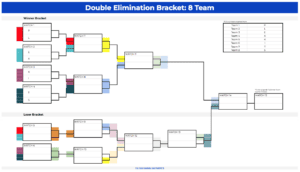
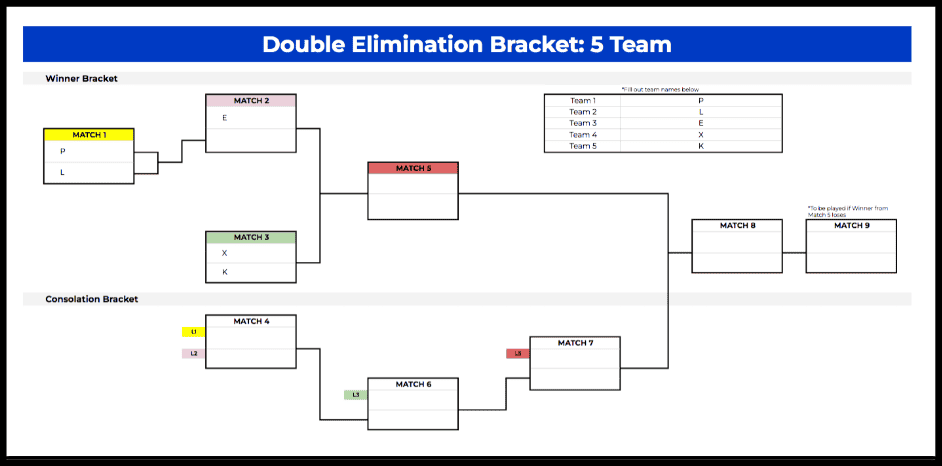
- Automated Progression: Simply enter team names and select winners from the dropdown menus. The bracket instantly updates both the winner and loser (consolation) paths.
- Visual Clarity: Clear, color-coded sections highlight the different paths teams take, making it easy to follow the progress of the competition at a glance.
- Platform Versatility: Fully compatible with both Microsoft Excel and Google Sheets, allowing you to manage your bracket on any device.
- Massive Size Variety: We offer specific templates for 4, 5, 6, 7, 8, 9, 10, 11, 12, 13, 14, 15, 16, 17, 18, 19, 42, and 64 teams!
How to Use Your Template
- Download: Select the template size that matches your team count from the links below.
- Setup: Input participant names in the designated light-blue fields. The template will automatically distribute them across the bracket.
- Score: Use the dropdown menus to select match winners. The consolation bracket will populate automatically as teams lose their first match.
- Finalize: Monitor the evolution in real-time until your champion is crowned.
Why Choose Double Elimination?
Double elimination ensures that a single bad game doesn't knock a talented team out of the running. This format is more forgiving and competitive, providing a better experience for participants. Our templates handle the complex "consolation stream" logic for you, so you can focus on the event itself.
Secure Your Results
To keep a permanent record of your tournament, we recommend exporting the final bracket as a PDF. In Google Sheets, go to File > Download > PDF Document (.pdf). For a professional look, remember to toggle off "Show gridlines" before exporting.
Looking for a different format? Check out our Round Robin Templates.