












Create Your Own College Football Pick'em
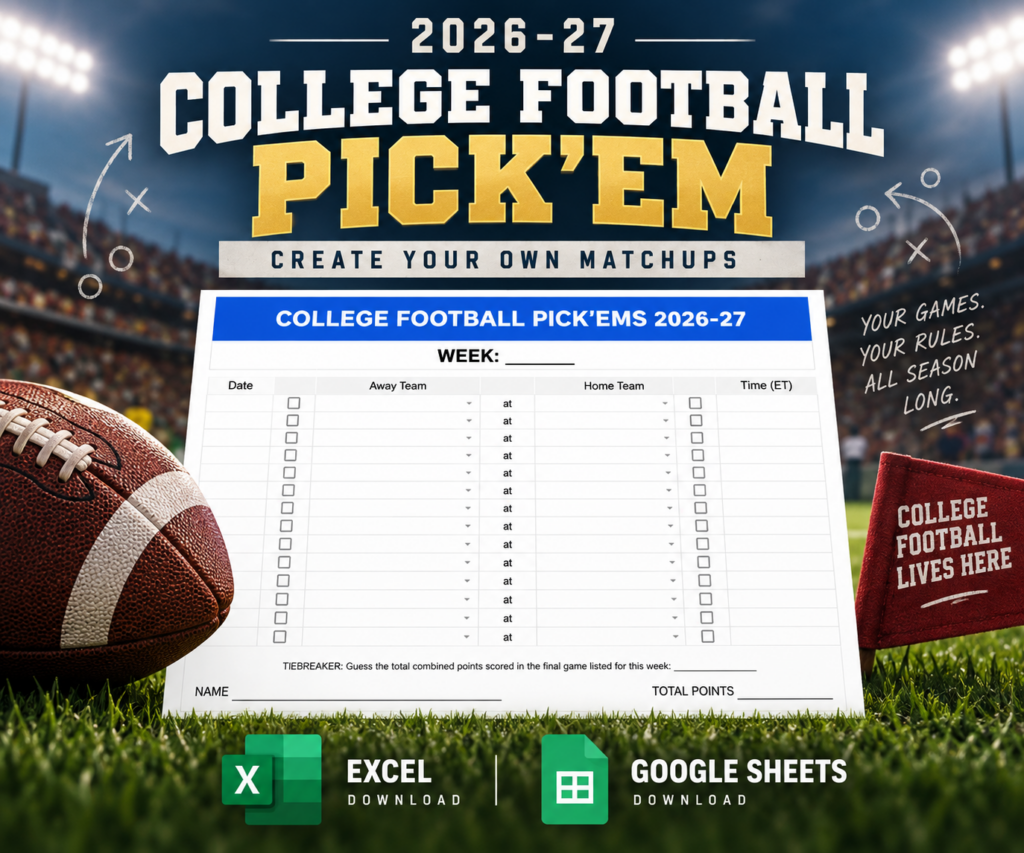
With hundreds of college football games played throughout the season, not every pick'em pool wants to follow the same matchups. That's why this template lets you choose the games.
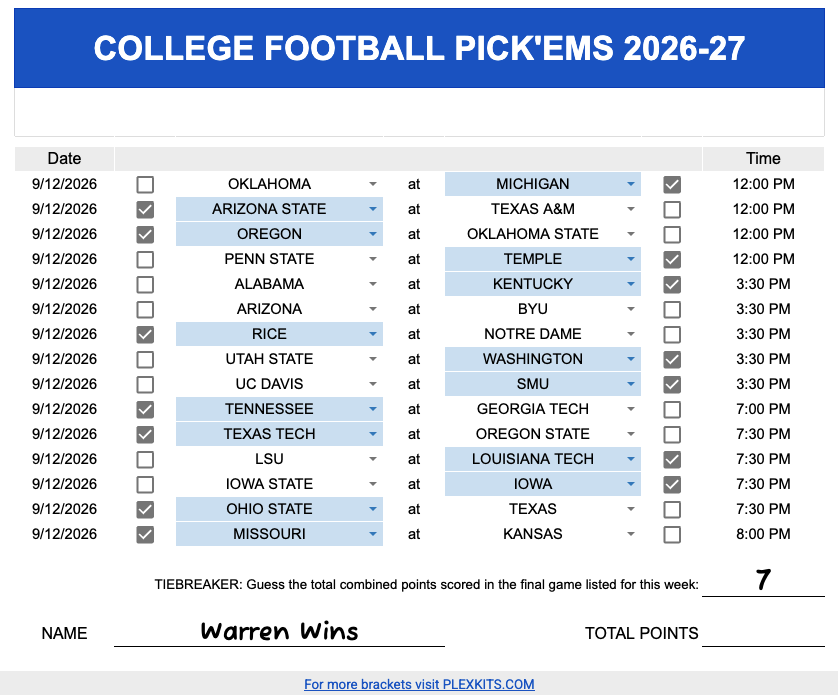
Simply select the away and home teams for each matchup using the built-in dropdown menus. The team list includes FBS and FCS programs, allowing you to create pick'ems for a wide variety of Division I college football matchups — including games between FBS and FCS teams.
Once your matchups are set, participants can select their predicted winner using the checkbox beside each team. Their selected team is automatically highlighted, making completed picks easy to see at a glance.
You can also enter the game date and kickoff time, add the week number, and use the included tiebreaker for your pool.
Use the template for regular-season games, rivalry weeks, bowl games, or College Football Playoff matchups.
How to Create Your College Football Pick’em
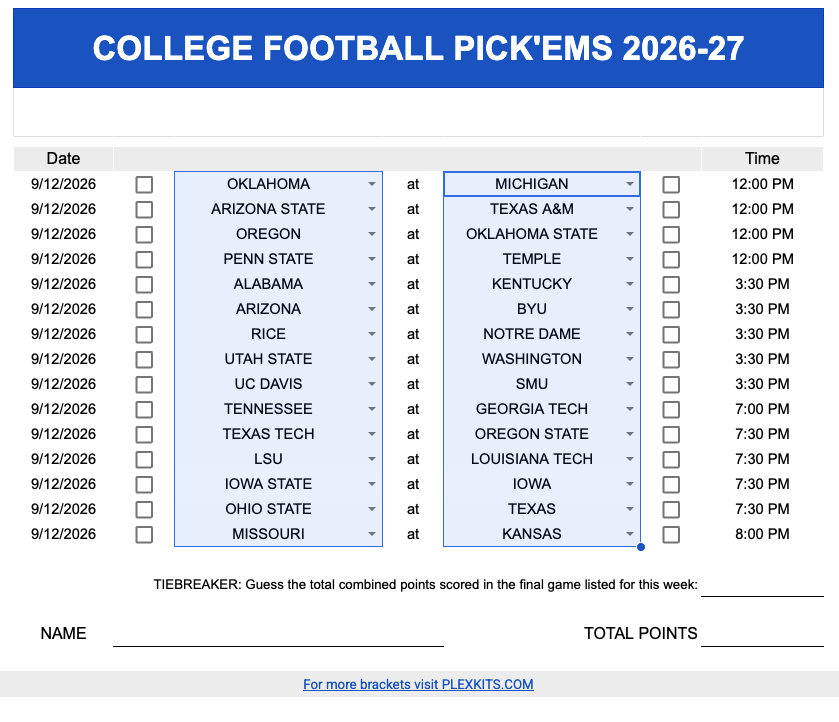
1. Choose Your Matchups
Use the dropdown menus to select the teams for each game. The template includes FBS and FCS teams, so you can build the exact slate of games you want your group to pick.
2. Set the Date
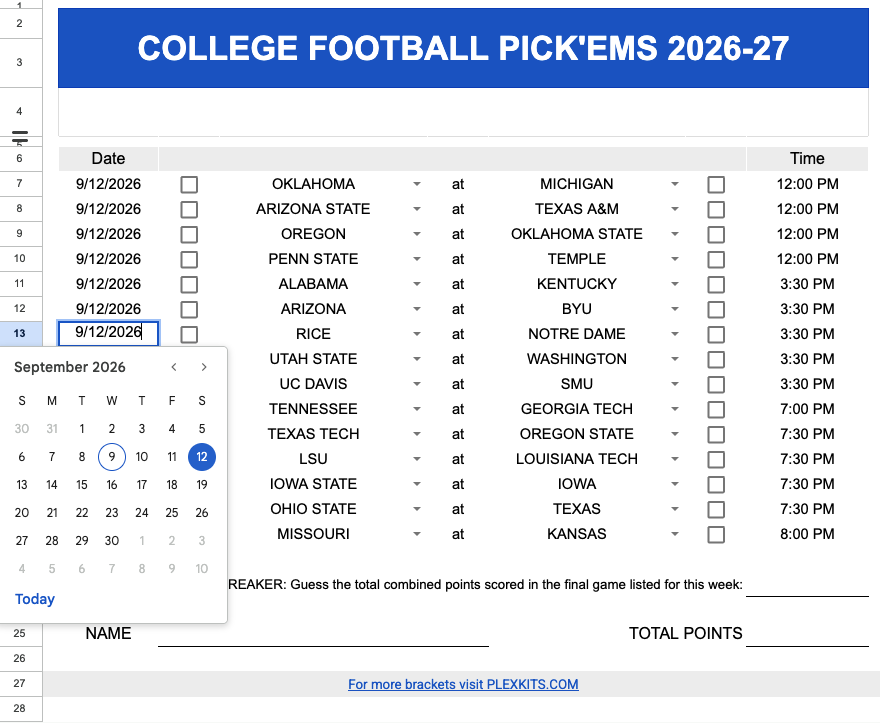
Choose the date for each matchup. In Google Sheets, simply click the date cell and select the game date from the calendar.
3. Add the Game Times
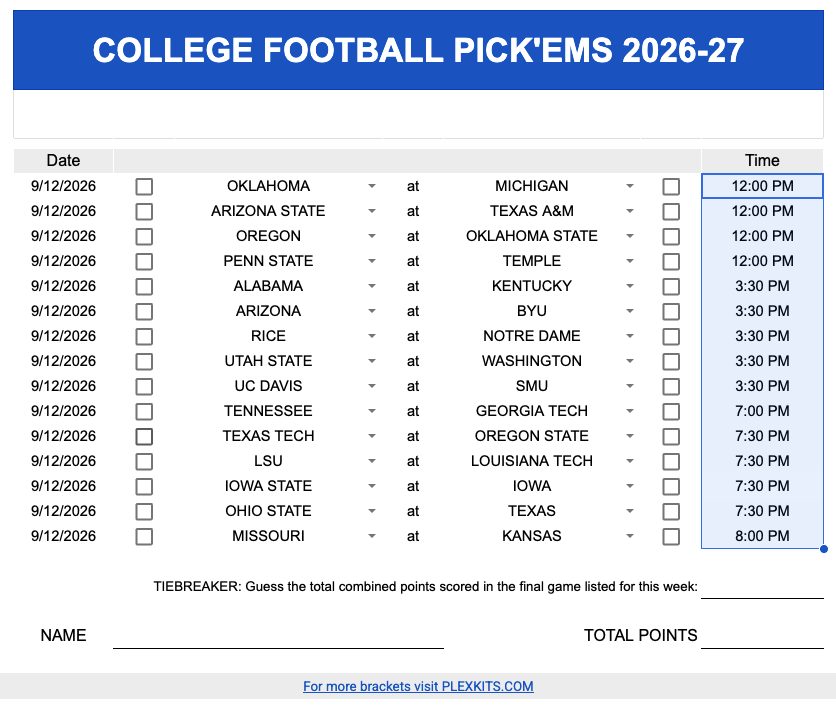
Enter the kickoff time for each matchup to give everyone an easy-to-follow weekly schedule.
4. Share It & Make Your Picks
Send the completed pick’em to friends, family, coworkers, or your pool. Players simply check the box beside the team they think will win—their selection automatically highlights for easy viewing.